Issue No. 001
A First Draft
Notes on building this website
This site came together through a series of small decisions and a fair amount of second-guessing. I wanted to document the reasoning process as much as the outcome—the trade-offs, the struggles, why certain choices felt right even when they weren't perfect. There's a version of me that would've sat on all of this for another six months, convinced it wasn't ready yet. That version doesn't have a website.
Over the last couple of years, I've realized what held me back wasn't technical. I'm obsessed with details—something often framed as a strength, but for me it's also been a long-standing liability. I've avoided putting my work—and myself—out there because things never felt ready, never polished enough, never quite finished. There was always one more pass to do. Eventually I'd get bored and move on with nothing to show for it. That mindset cost me more than it ever protected me.
This year, I decided it had run its course. Deploying this site and calling it a V1 feels surprisingly freeing—like clearing a tab I'd kept open for years. This first entry is my way of marking that shift: shipping something imperfect, documenting the process, and using it as a starting point to distill the direction of the site.
Intent & Principles
I had this idea of creating something that seemed formal and clean—of editorial quality—but with personality; like a newspaper you highlight, or a notebook you take notes on. The result needed to be clean and utilitarian, but also feel warm to the reader. The main goal though was to make the content approachable and comfortable to spend time with.
I knew I needed to be intentional with all my choices—from layout and spacing to typography and color palette—so the experience would feel cohesive and genuinely centered on the reader.
These considerations extended beyond design. I began defining the voice I wanted—professional yet conversational—and treating formatting as a writing tool rather than decoration. Punctuation, bold text, italics, and em dashes were used deliberately, consistently, and with purpose. It even goes down to the nomenclature—there are no blog entries, but rather issues; the homepage reads like a book's index. I have a colophon.

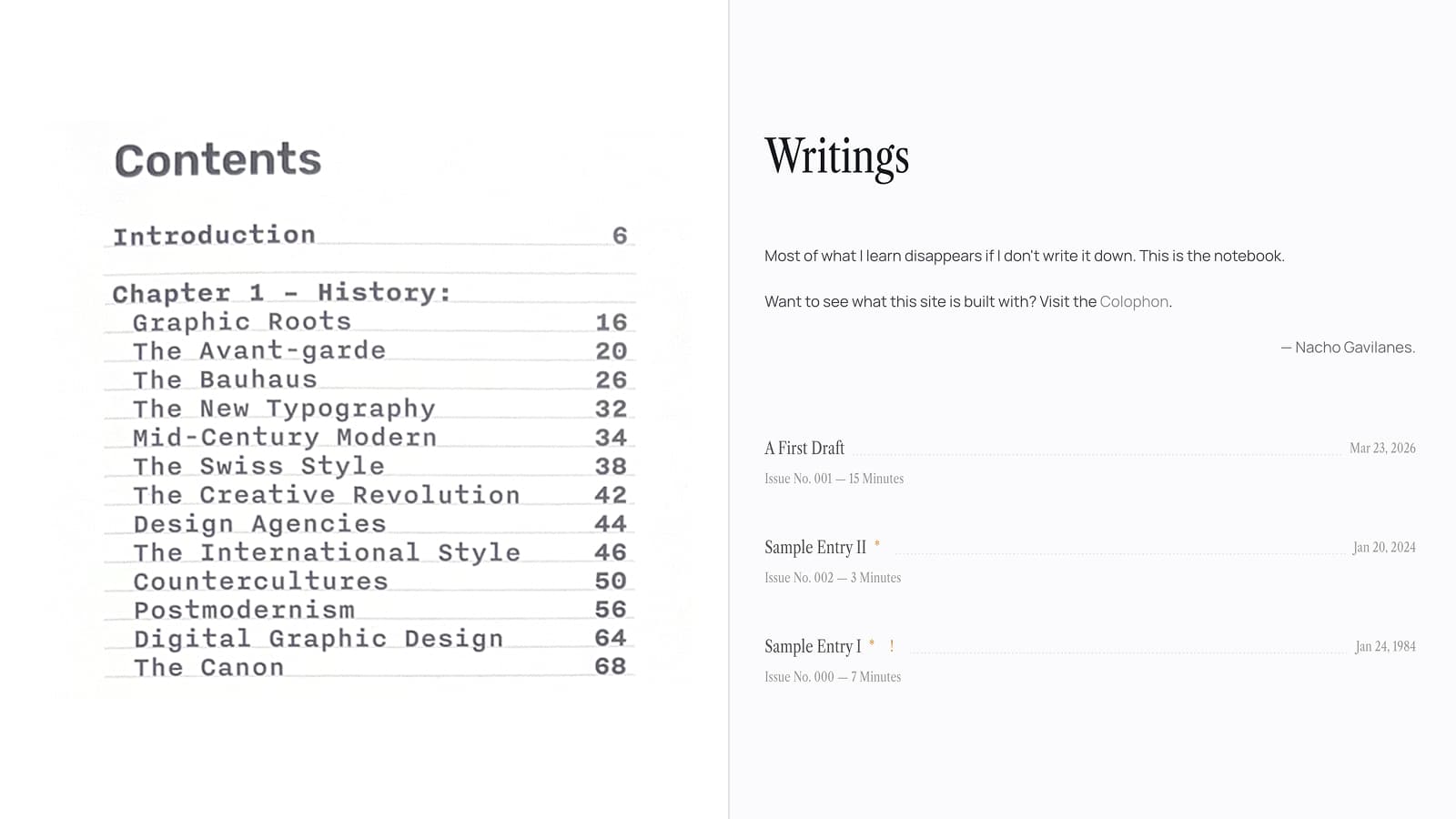
There are countless blog sites online. Some are minimal, others expressive. Some prioritize craft; others prioritize content. I didn't want to solve solved problems—I just wanted to build something battle-tested and add my own creativity on top of it. I have plenty of people I look up to and knew that I could definitely take inspiration from their work, so the first thing I did was look at what was already out there.
Layout & Structure
I explored many different ways to set things up but nothing completely clicked. Having a good layout is indispensable for a comfortable reading experience, so instead of getting carried away with an elaborate layout, I decided to start looking at what other design engineers were doing.
Some of the names that came to mind were Rauno, Emil, Jakub, Nanda, Paco, Maxime, and Raphael Salaja. As I looked through their work, certain decisions started to feel less like coincidence and more like convention. On closer inspection, I noticed they all shared a common three-column layout for desktop. This quickly made sense—content is always at the center of the show, it is extremely easy to make responsive, and it looks clean. I knew I wanted my website to look effortless, so I went with it.
 Rauno
Rauno Emil
Emil Jakub
Jakub Nanda
Nanda Paco
Paco Maxime
 Raphael Salaja
That said, I did have to make an adjustment. Most of these blogs have three columns but only really occupy the center rail for content. In my case, I also use the left rail for the table of contents, which meant that as the viewport shrinks, the ToC runs out of space much sooner and I'd be forced into a single column earlier than I wanted. To avoid that, I introduced an intermediate step: for viewports below that full three-column width, the left rail stays fixed while the center rail stretches to fill the remaining space—essentially a two-column layout. Then, once the content itself hits a minimum width, everything collapses into a single centered column for mobile.
I also considered using the right rail for a panel of key insights—a running sidebar that would reinforce ideas as the reader moved through a piece. It felt like a good use of the space, but in practice it split attention and made the layout feel cluttered. If the writing is clear enough on its own, it shouldn't need a commentary track beside it.
Having settled on the layout, it was time to think about the elements that would fill that space: typography and color.
Typography & Color
I took this as an exercise. In order to take me out of my comfort zone, I decided not to use a font family from any of my inspiration sites.
I wanted a serif font for the title, while keeping it sans serif for the body. I know this combination has been played out for a while now, but I also feel like this context is the perfect application for it.
So I went looking for a heading font. When I first saw Instrument Serif, I fell in love. Then the realization hit me: Maxime's website uses the same font for its headings, so I had to find an alternative. I liked the idea of having this big condensed serif font, so I kept looking for something around that realm. That's when I came across Libre Caslon Condensed, which gave me a similar feeling.
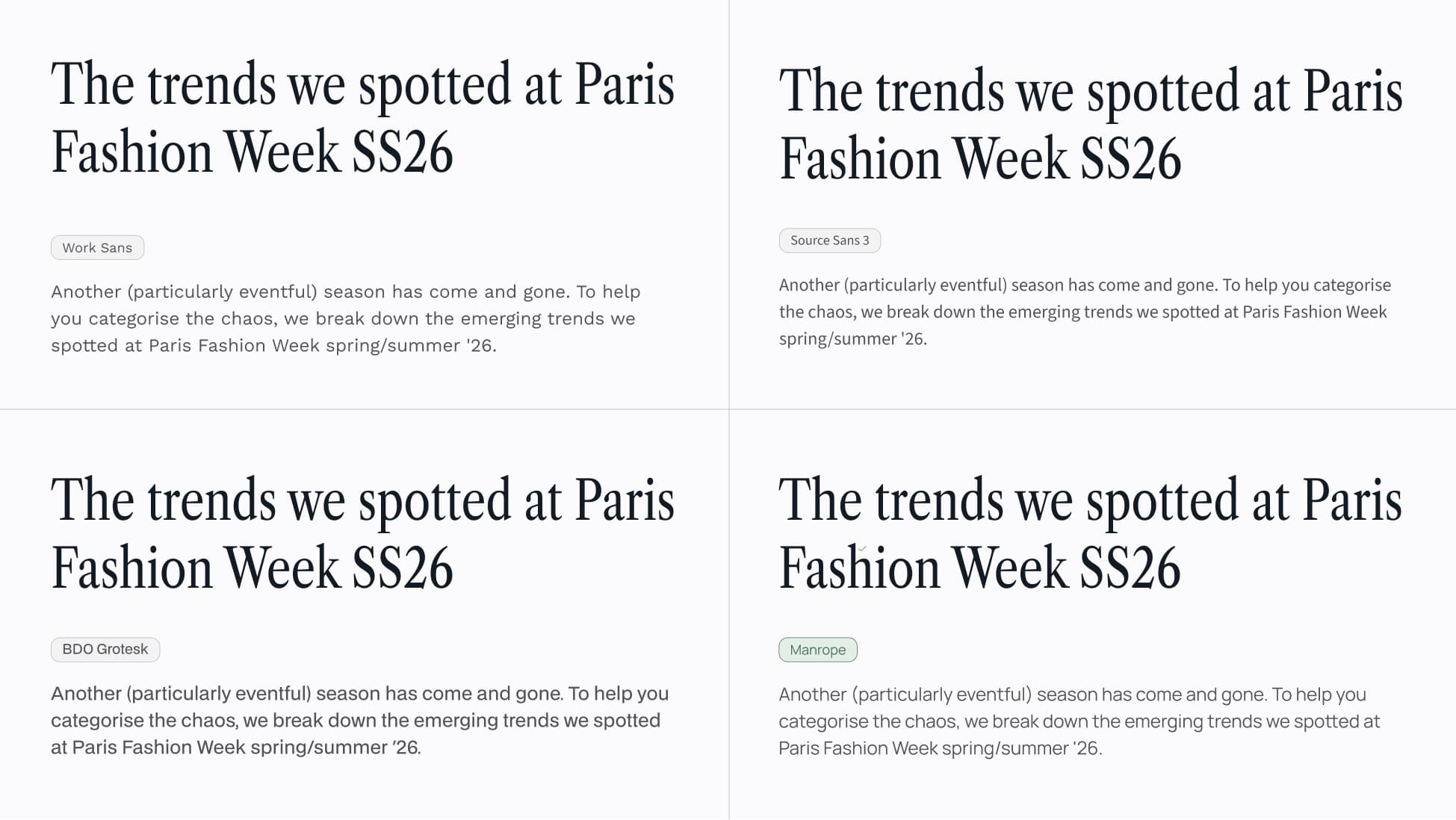
With the heading font down, I needed to pick a font for the rest of the website. For this, I knew a couple of things besides not wanting to copy the font from other websites. For starters, I didn't want to use Inter because that would've been the easy way out. I did, however, need something that was extremely legible and easy to glance at. I tried several font families: Work Sans, BDO Grotesk, Source Sans 3. Eventually, I landed on Manrope. I thought it was a great balance of being easy to read, but also having a bit of personality. Its wider letterforms also contrasted nicely with the condensed serif headings.

I've been slowly transitioning from all dark-mode to light themes in multiple apps. I had this idea of an ice color palette, which is why Emil's blog resonated so much with me. A light palette would work not only because it would look clean, but also because it would align more with the media I'm trying to emulate. This is why I went with a kind of stone-ish palette, with the selection/highlight color being a nice lavender gray that is close to a Stabilo highlighter I have at my desk.
I also wanted to add some sort of subtle texture, like a paper grain, or something that would make it feel more tactile and personal. For this texture I tiled a small noise PNG across the background to simulate a larger image—mostly for performance.
With the building blocks in place, I turned my attention to how readers would move through the site.
Navigation & Reading Experience
Transitions
I knew the homepage would list all issues. Each issue would include a title, subtitle, and publish date—elements that would also appear in the issue view with the same hierarchy. That overlap made me consider animating them between routes, creating a sense of continuity when navigating back and forth.
But I hesitated. The site was meant to feel clean and restrained, and introducing noticeable motion risked breaking that flow. The question wasn't whether the animation would look good—it was whether it belonged.
My decision ended up being made easier by the fact that Next.js' viewTransition API is not stable yet. So that sealed it—no complex animations. I kept it to a simple fade between screens, a pause that echoes the feeling of turning a page.
Table of Contents
Once inside an issue, you need to know where you are and what's ahead—that's the job of a table of contents. I wanted to approach it carefully—when done well, it elevates the experience; when done poorly, it becomes a distraction.
I started by placing the <h2>-<h4> headings in a column, adding hierarchy through indentation for lower-priority headings. To highlight the active heading, I used a darker color and added a thin dash next to it. The length of the dash correlates with the hierarchy of the heading—<h2> dash is longer than <h3> or <h4>.
The visual treatment was straightforward, but it raised a question I'd always taken for granted without thinking deeply about: How should the active heading be computed?
I initially tied it to scroll position, but that quickly broke down. Scroll position isn't a reliable signal—there's no precise way to know where someone's attention actually is. Some readers move steadily as they read; others scroll in chunks once they've finished what's visible. The behavior varies too much to treat it as an absolute truth.
That realization forced me to rethink the problem entirely.
What if instead of having an active heading I showed headings that are visible within the viewport? That way, the reader can see exactly what they're looking at and get a sense of how far along the document they are.
Tracking headings down to the <h4> level introduced a practical issue: more depth meant more entries, and the list could easily overflow its container. To keep it contained, I introduced a maximum height and synced the ToC's scroll position with the article's. Allowing both to scroll independently felt unnecessarily complex, so I removed that behavior and kept them in sync.
With this last change, the only contextual information I lost was reading progress—since the ToC now scrolls with the article, entries beyond the visible area are hidden, so I could no longer show how far along the reader is at a glance. To address this, I looked at Nanda's SVG Animations course as well as Maxime's ToC, where he shows progress with a ring similar to Apple's fitness rings.
It looks nice and was fun to make, but I'm not fully convinced—it risks emphasizing scrolling over reading. I don't want it to feel like a to-do list, but rather a conversation. I decided to keep it for now, but I'll likely revisit it.
The last thing I set out to do was to add the ability to click to go to a heading. This posed an opportunity for improvement, since I realized that clicking a heading wasn't as intuitive as it should be. At times I would click unintentionally and the document would scroll, which felt like a lack of feedback. To address this, I added a subtle background change to make it explicit what was clicked and why the viewport changed. I also introduced bi-directional feedback between the ToC and the article headings—clicking a heading highlights both the section in the document and its entry in the ToC, and vice versa. This creates familiarity and passive orientation, while still giving the user instant control.
Keyboard Navigation
Keyboard navigation is crucial for accessibility, and it makes the interface faster and more responsive. For this to work properly, I needed to make sure there were no focus traps that would hinder navigation.
I saw this as a chance to add a bit of extra polish with focus-visible rings. I tried a few sleeker styles, but since this is also about accessibility, I ended up keeping them simple, easy to spot, and on-brand. That meant picking a color from the palette with enough contrast and rounding corners for all elements. Sounds easy, but it had its tricky moments.
Interactive headings needed to handle two overlapping visual cues: the highlight background for clicked sections—discussed in the previous section—and the focus-visible ring for keyboard navigation. At first, they competed with each other—the outline clashed with the highlight or awkwardly sat outside the edges.
The fix was to treat them as a single system. I mirrored the highlight's style in the focus ring itself, using the same border-radius and dimensions, and rendered the ring as a box-shadow to keep it visually aligned. Now both states live in the same visual space, harmonizing instead of competing. Each heading feels coherent, whether you're clicking or navigating with the keyboard.
The last feature I implemented in this area was shortcuts. Go ahead, hit ? to show available shortcuts. I considered adding more, but chose to keep the set intentionally small to avoid adding unnecessary complexity.
Discoverability is still an open question. Since navigation is already possible through scrolling and the ToC, shortcuts aren't required to use the interface. For now, I'm comfortable letting them stay slightly hidden, to be discovered over time rather than announced.
Components & Interaction Details
How a reader moves through the site is one layer—how they engage with the content is another.
Images
Be my guest—if you're reading this on desktop and haven't already, click the image below.

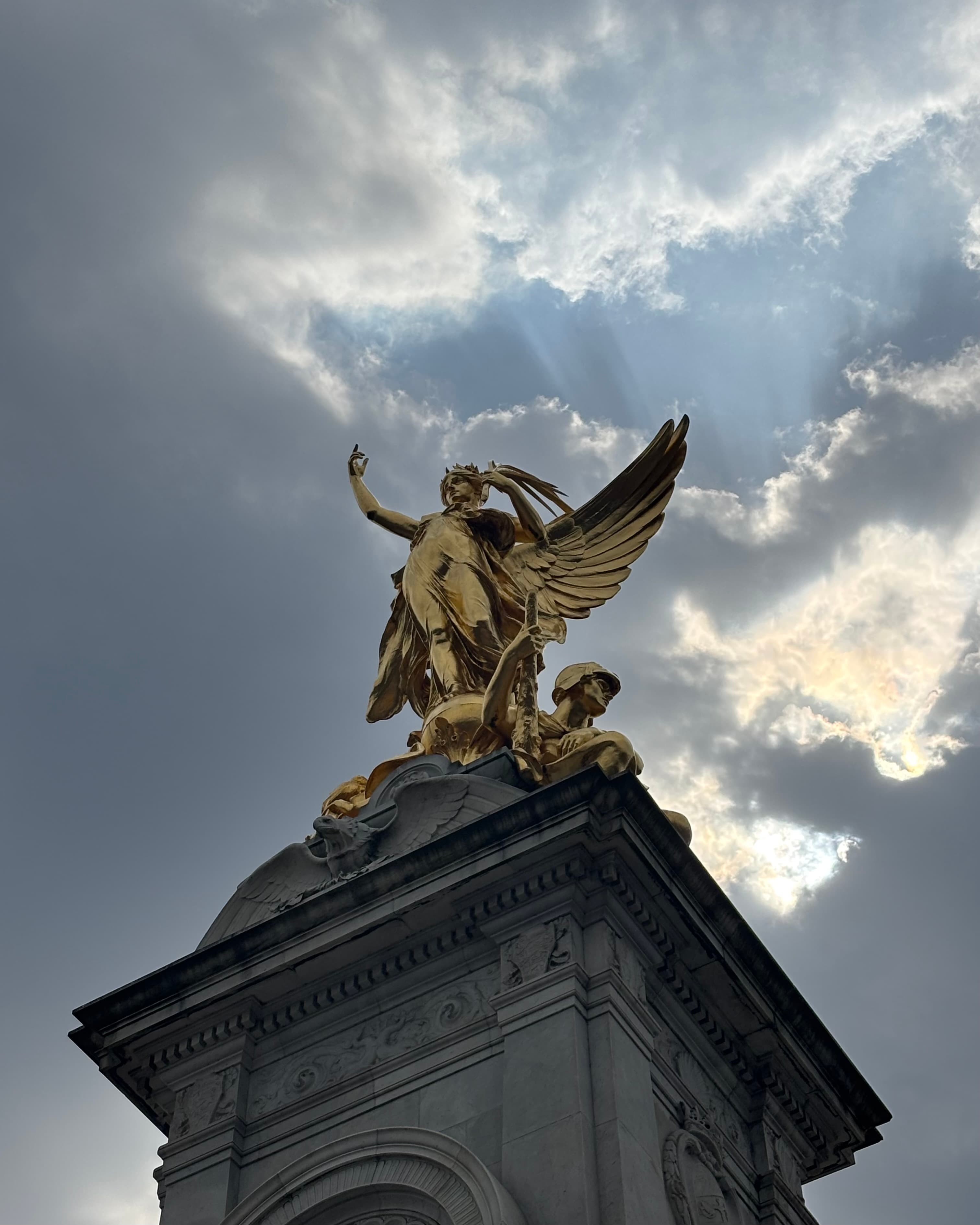
This component was largely inspired by Maxime's site.
One issue I ran into: when an image expands, it gets centered on the screen, which means it may cross other images along the way.
When two elements in the same container share the same z-index, DOM order determines which renders on top—the later element wins1.
I use a higher z-index for the expanded state, but when shrinking back, the z-index would reset immediately—before the animation finished. If the collapsing image crossed another image later in the DOM, that image would render on top, creating a jarring visual effect.
The fix was simple: I delayed the z-index reset until the animation completed.
After doing so, I got curious and checked Maxime's component and noticed the same layering issue on his site.
Code Blocks
Code blocks needed to be easily scannable. The complexity should lie in the technical content, not in glancing at the content itself.
I identified a couple of areas where adding extra capabilities to my code blocks could improve the experience. I added a header with two slots—one for the filename and another for the language—to provide context. I also introduced the ability to highlight specific lines. Oftentimes the focus is on a small portion of code, but the surrounding context is still relevant, and making those lines visually distinct is a clear win for clarity.
Like any long, unbroken text, code eventually outgrows its container. Overflowing text would just get cut off. To me that felt abrupt and didn't look good, so I needed a way to signal overflow more subtly. This is when I thought about adding a fog effect, rendered on either or both sides of the overflowing text.
function sum(a: number, b: number) {
  // This is a very long comment whose only purpose is to make the code block overflow
  const result = a + b

  return result
}
The fog effect worked so well in code blocks that I abstracted the idea and applied it to the main article container, where it became part of the reading experience more broadly.
Links
Links were one of those cases where less is more. They look simple, and they are, but getting there wasn't.
Initially I had the classic underline on hover. I didn't like it because it looked generic and distracting.
I started thinking about why people add links to blogs. For this specific use case, links are a side character. The goal of a blog is to get a point across and to keep users reading, and an external link takes you out of that flow, so I decided to make my links look unassuming instead of taking the opportunity to do something different.
For that reason, I only applied a subtle opacity shift with a smooth transition to keep things minimal.
Here's how one looks You're welcome
Embedding Personality
At this point, I had built a cohesive and functional site, but I felt like I was missing a distinguishable characteristic.
I went back to my initial moodboard and paused on the notebook-inspired background—the light tone, the paper grain. I'd originally chosen it for texture, but something deeper clicked this time. It didn't just look like a notebook. It reminded me of how I actually use one. When I'm trying to internalize something, I annotate constantly— lines, circles, arrows, even small drawings in the margins.
That's when it clicked. I started making SVGs in Figma and placing them directly over the text within the article. This way, the issue itself would feel like something I read and annotated.
This process also inspired what the favicon should represent. I wanted it to reflect the idea of annotations and lean into that sense of personality. I considered using my initials, a quill, a caret—but they all felt like obvious choices.
Then I revisited the notion that helped me create the annotations feature—notebooks. When I'm paying attention, I tend to scribble in the margins. That small, almost unconscious gesture felt like the right symbol: a simple scribble that ties together annotations, attention, and the act of internalizing ideas.
Delight
At this stage, the site could have felt complete, yet I had noticed a few interactions that, with some care, could spark small moments of delight.
When copying code or the issue URL, I wanted the user to know their content was in the clipboard. The URL button stretches and compresses the link icon, while the code copy button merges the two sheets into one; in both cases, the icons then transition smoothly to the check mark.
Other details reinforce this sense of responsiveness. Hovering over the estimated reading time on desktop—or tapping on mobile—adjusts the clock hands to the reader's local time. Likewise, clicking or tapping the publish date briefly trades a fixed date for relative time, showing how many days ago the content was published.
Individually, these are small details. Together, they create moments of discovery.
I added haptic feedback on mobile, along with subtle sound cues. There's also a small detail on desktop: Copy actions use different sounds for mousedown and mouseup.
Safari 26.5 introduced changes that broke web-haptics, so haptic feedback no longer works there. Other workarounds, like using a checkbox with role="switch", are also not working at the moment.
A quick click produces a tight, two-step sound, while a press-and-hold stretches the interaction slightly, making it feel more tactile.
This was inspired by Dan Hollick's Common Questions section on his Making Software site.
There's one detail that doesn't reveal itself through interaction, but through curiosity. If you're on desktop, open the console and take a look. There, you'll find a small message tied to the page you're on—a kind of quiet director's commentary—along with an ASCII rendering of the favicon scribble.
Reflection
There's a version of this site that had more. For a while, I was building a feature where key takeaways would animate into view as you scrolled through each section—reinforcing the ideas, making them stick. I tried tying them to scroll position, then to section boundaries, then to a button at the end of each block. None of it felt right. The scroll-triggered version was distracting; the manual version lost whatever magic I was chasing. Eventually I realized the problem wasn't the execution—it was the premise. If the writing needs a parallel track to land its points, the writing isn't doing its job.
That was the hardest cut I made, and probably the most useful. Not because the feature was bad, but because killing it forced me to trust the content on its own terms. Most of the decisions in this site look like additions—the fog effect, the annotations, the sound cues—but the ones that shaped it most were subtractions.
I still have things to fix. Interactions I want to revisit, features I haven't built. But the version of me who was waiting for "finished" would never have written this sentence.